How to unblock my Tagmin agent account
If a username or password is entered incorrectly multiple times, you may encounter an error message indicating your account is now blocked. This can also occur if another agent in your office has blocked themselves... This is due to the IP address being blocked following the failed login attempts.
This block will be automatically removed after one hour, however there are some other methods to unblock your account faster.
1. Turn on the mobile hotspot on your phone - and connect your computer to the wifi your phone is now broadcasting.
2. Turn off WIFI on your phone, to ensure you are using your data, and login to Tagmin that way, via your phone's browser (not the Agent App), and select Desktop site from your browser settings.
3. Ask a colleague who uses Tagmin who is not blocked to unblock you.
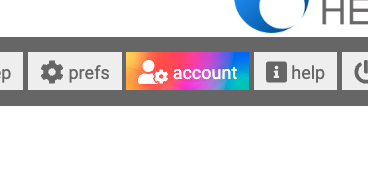
Once you or your colleague are in to Tagmin go to Account:
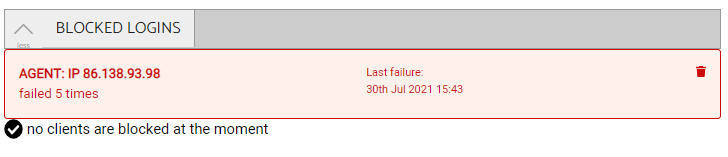
Then Blocked logins and then unblock any blocked agents by clicking on the bin icon.