
Performer Support: How do I manage my Spotlight profile agents and social media?
This article explains how performers can update their agency representation and link a professional Instagram account to their Spotlight profile. Whether you are an adult or young performer, these steps ensure your contact information and professional content are accurate and accessible to casting directors.
ARTICLE CONTENTS
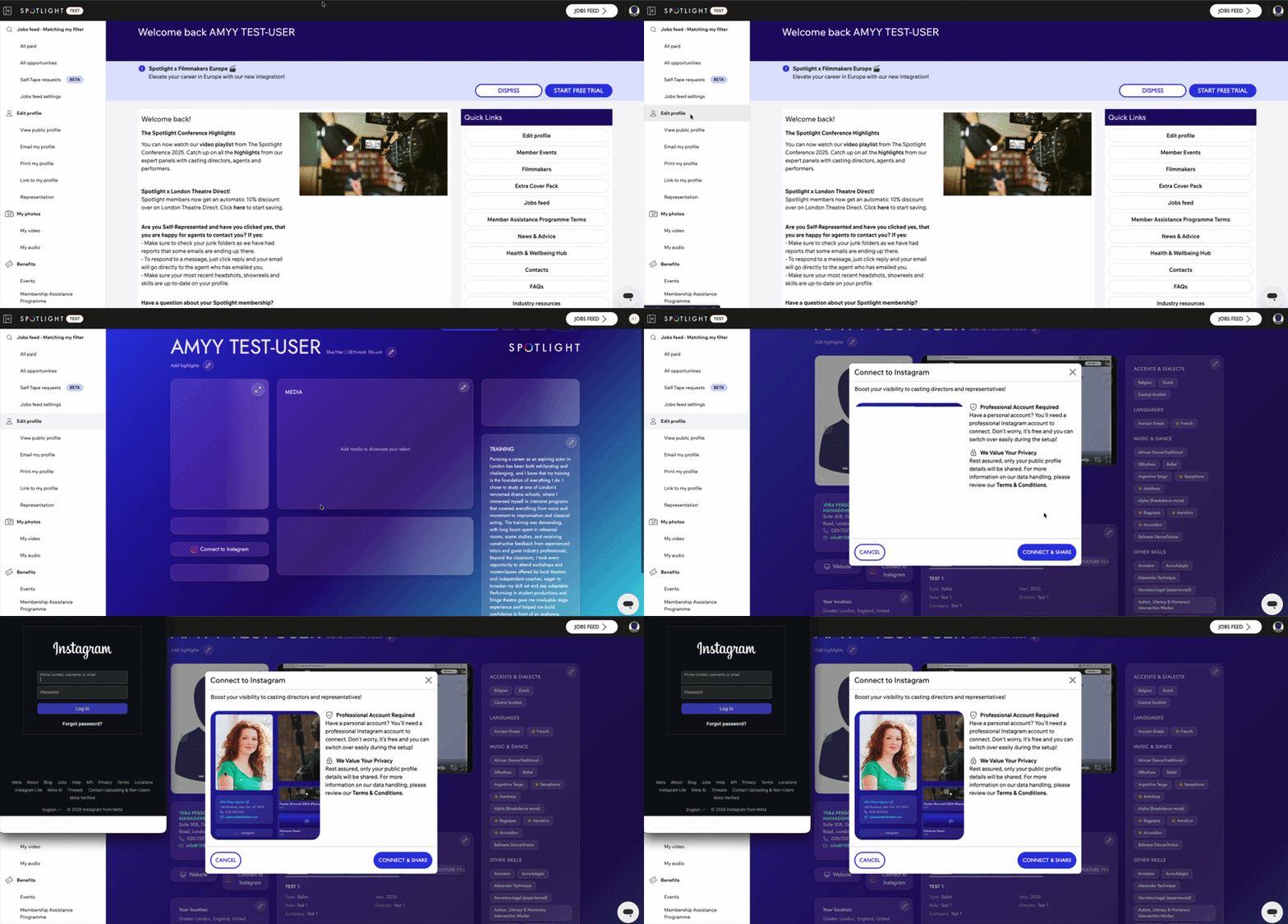
How to Link Instagram to Your Profile
Sign into your Spotlight account.
Go to Edit Profile.
Select Connect Instagram located below your main profile photo.
Follow the prompts in the pop-up window to complete the connection.
Instagram Requirements and Privacy
Account Requirements
This feature is available for active Performer or Graduate accounts.
You must use a professional Instagram account; personal accounts cannot be linked directly but can be converted during the setup process.
Young Performer accounts cannot currently link to Instagram due to regional age restrictions and privacy defaults.
Privacy and Visibility
Will my followers and likes be visible?
No. Your follower counts and like totals are never displayed on your Spotlight profile and are not used in casting search filters. This tool is strictly to help casting directors view your professional content.