
Performer Support: What's New on My Profile?
We're excited to introduce you to the new Spotlight profile, inspired by feedback from our members. All your details have been seamlessly transitioned to your new profile, which is ready to go. This article walks you through all of the changes coming to your profile — from a refreshed layout and new navigation features to updated sections and new ways to manage your content. Whether you're wondering what's new, what's stayed the same, or what you need to do, you'll find the answers right here.
Top Navigation Changes
The top of your profile has a few handy new additions to make managing and sharing your profile easier.
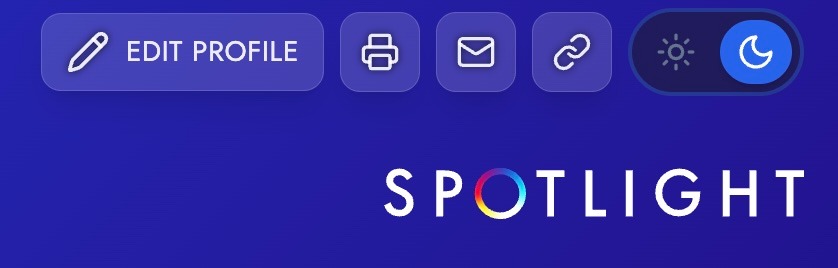
Edit Profile Toggle: A new toggle lets you switch between how your profile looks to casting directors and edit mode — all without leaving the page.
Print Preview Improvements: The print view has been tightened up — smaller font sizes, reduced white space between sections, and a cleaner layout so your profile fits across fewer pages when printed or saved as PDF.
Email: The email option has remained the same on the new profile.
Profile Link Copy: You can now copy your profile link directly from the top of the page, rather than opening it in a new window first. Once copied, a confirmation notification will appear to let you know it's been copied to your clipboard.
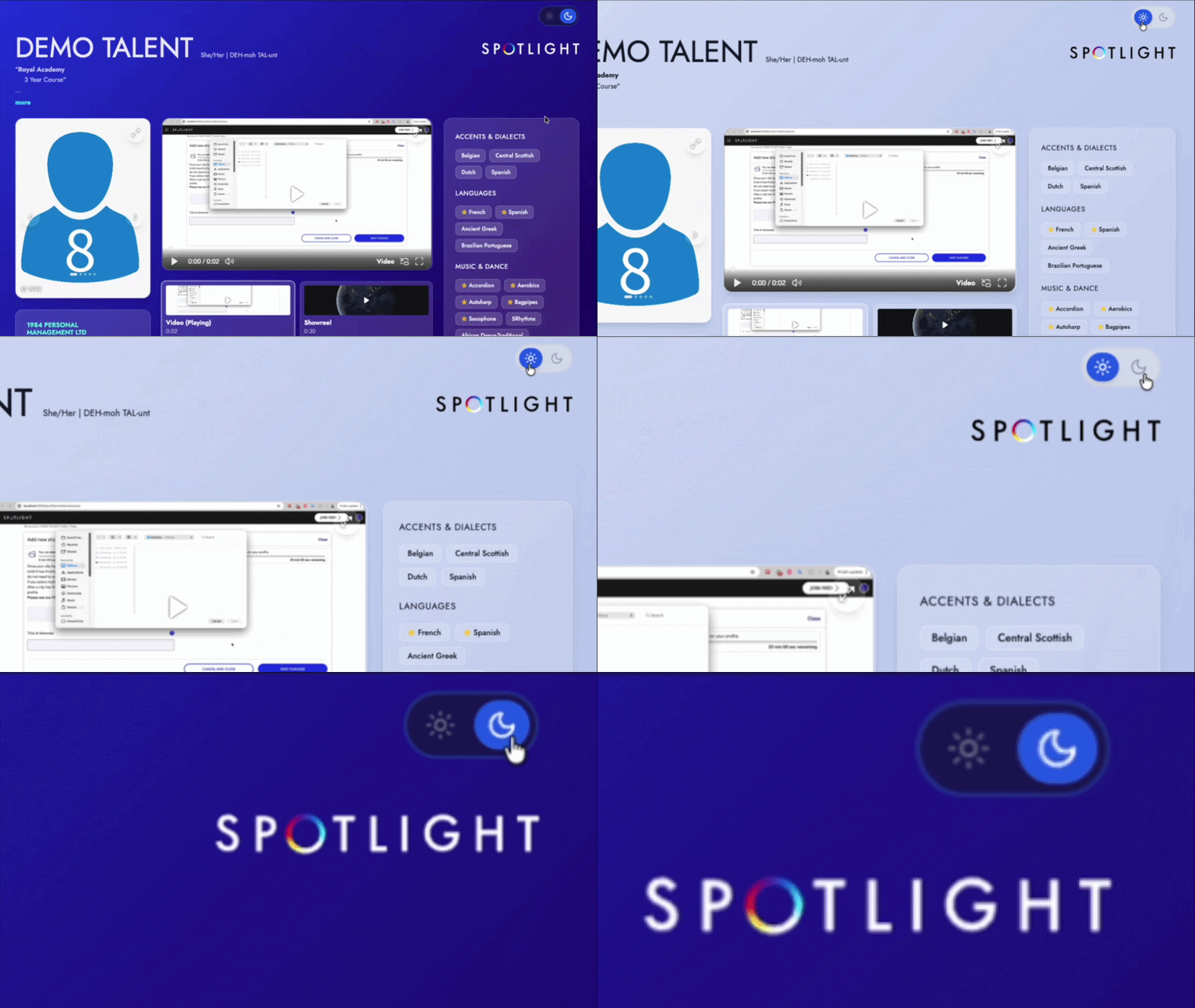
Dark/Light Mode Toggle:
You can now switch between dark and light mode. Your preference will be saved, so next time you log in it will be right where you left it. The default is dark mode, but if you switch to light mode, it will remember that choice.
Pronouns and Name Pronunciation
A new optional field lets you add your pronouns and the pronunciation of your name directly to your profile.

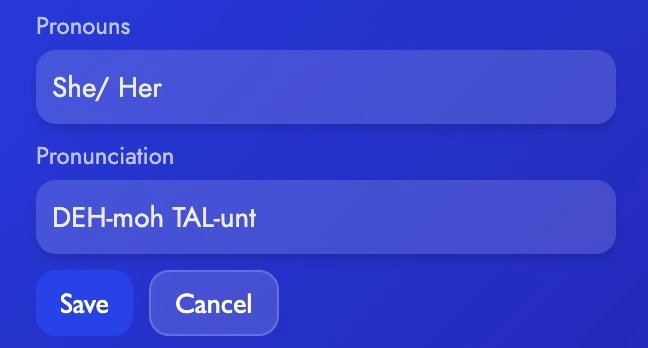
This field is completely optional — if you don't add anything, nothing will appear on your profile.
It appears next to your name on your profile page.
Casting directors can see it, but it is not searchable or filterable.
It will only appear on your individual profile page and nowhere else on the platform.
There is a character limit of 50–100 characters for this field.
Highlights Section (Formerly "About Me")
The "About Me" section has been renamed Highlights and now works a little differently.

The section title no longer appears on the front-facing profile display.
You can now edit your Highlights content directly on the profile page while in the edit view — no need to navigate away to a separate edit page.
A character counter is visible while editing, and you'll see a clear error message if you go over the limit.
On the profile itself, the first three lines are displayed, with a "More" button for anything beyond that.
The text box is small by default, but can be expanded when you're editing by clicking and dragging the arrow in the lower right of the box. When expanded, a character count will be displayed. A maximum of 2000 characters can be added.
This section is best used for reviews, awards, current productions, and other key highlights!
Media Section Updates
The media section has had a significant refresh to make browsing your photos, videos, and audio clips a more seamless experience.
Photos
Photos now scroll through without a full-screen overlay appearing automatically
To enlarge the photo you can click on the image to expand.
A small gallery view appears underneath the main photo.
Photos maintain their original aspect ratios while main headshots will stretch to fill the available space.
Videos and Audio
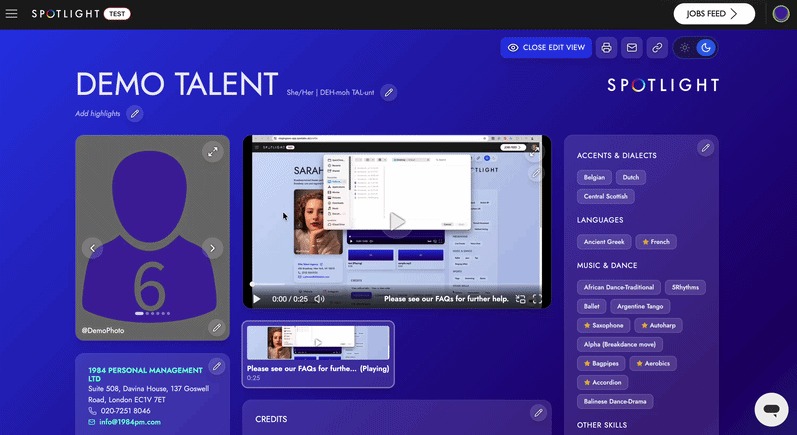
Videos and audio clips are now grouped together in one unified media section.
Media will continue playing whilst you scroll through the rest of your profile.
The first 6 videos and audio clips are displayed, with a "Show More" option for anything beyond that.
A grid view (3x3x2 layout) is available, along with full-screen, picture-in-picture, and volume controls.
Layout
The system will remember a casting director's preferred layout (expanded or split view) so they don't have to reset it each visit.
Skills Section
The Skills section has a fresh new look, though the information it holds remains the same.
Skills are now displayed as labels for a cleaner visual layout.
A star symbol next to a skill indicates a high level of proficiency or native ability.
Skills are searchable
What Hasn't Changed
Not everything is new — plenty of familiar features are staying exactly as they are.
Training Section: No changes to functionality.
Credits Section: All existing features are preserved, including tabs, date and performer ordering, and the "Show More" option.
Agencies Section: No changes to core functionality. Website links are now integrated into the agency title rather than appearing on a separate line.
Information Section: No functional changes.
Instagram Integration: No changes.
Profile Link in Left-Hand Menu: Your profile link remains accessible from the left-hand navigation of your account.
Editing Your Profile: What You Can Do In-Page
Some sections of your profile can now be edited directly on the page, while others will still take you to a separate edit page.
In-Page Editing Available For:
Pronouns and name pronunciation
Highlights (formerly About Me)
Separate Page Editing Still Required For:
Credits
Agencies
Skills
Media uploads
Training
Profile Views: What You See vs. What Casting Directors See
Your profile looks slightly different depending on who is viewing it.
Viewer | What They See |
You (Performer) | All top navigation buttons: share, print, copy link, and the edit toggle |
Casting Director | Sticky footer with shortlisting actions; no edit or print options |
Not logged in | Basic header bar; dark/light mode toggle available but preference not saved |
Performer Type Variations
How your profile displays may vary slightly depending on your performer type.
Performer: No special labels; normal content display throughout.
Filmmakers: The Filmmakers logo replaces the Spotlight logo, and a link to your Filmmaker profile appears in the left-hand navigation.
Self-Represented: A "Self Represented" label is displayed, and your existing contact form is maintained.
New Members: A "Credits Coming Soon" placeholder box is shown until your first credit or showreel is added.
Graduates: A Graduate label is shown, and training information is prioritised in the display order.
Young Performers: Licensing information is prominently displayed ("Licence Required" or "Licence Not Required"). Age is displayed only if the performer chooses to show it.
Frequently Asked Questions
When exactly will I see the updates on my account?
We are launching in phases to ensure everything works perfectly. You can expect to see your updated profile no later than Thursday, April 16th.
Will Casting Directors see a mix of old and new profile versions?
No. Once the update is live for a Casting Director or Talent Representative, all profiles they view will be in the new format. This prevents any confusion and keeps the browsing process professional and streamlined.
Will I be able to revert to the previous profile design?
The new profile experience is being rolled out to all users and will soon be the standard. Once your account has been updated to the new profile, this new experience will be permanent.
Will my profile information be moved over automatically, or do I need to re-enter anything?
Yes — all of your existing profile information will carry over automatically. You won't need to re-enter any data. The updates are to the design and layout of your profile, not to the underlying content.
Do I have to fill in my pronouns and name pronunciation?
Not at all. This is entirely optional. If you leave it blank, nothing will appear on your profile. You can add, edit, or remove this information at any time from your profile page.
Will my profile on Filmmakers also be updated with the new design?
Yes — Filmmakers profiles are linked to your Spotlight membership, the profile content will display except for the pronouns/pronunciation section which doesn't exist on Filmmakers yet - but we hope they will add this in the future. Please check the Filmmakers Add-On Help Centre article for the most up-to-date information on Filmmakers profiles.
Will my Tagmin profile also reflect the new profile design?
The profile content will display except for the pronouns/pronunciation section. For information on how your Spotlight profile syncs with Tagmin, please see the Automatic Spotlight Profile Syncing article.
Can I still access my profile link from the left-hand menu?
Yes. Your profile link remains accessible from the left-hand navigation of your account, just as before. You can also now copy your link directly from the top of your profile page using the new copy link button. For more details, see the Accessing My Spotlight Link article.
What is the Highlights section for — is it the same as About Me?
The Highlights section is the new name for what was previously called "About Me." While the location is the same, the intended purpose has shifted slightly. It's best used for sharing current productions you're appearing in, awards and nominations, stand-out reviews, or anything else you'd like to flag to casting directors at a glance. Think of it as your professional headline rather than a full biography.
Why can I only see 6 videos or audio clips on my profile?
Your profile will display the first 6 videos and audio clips by default, with a "Show More" option for any additional content. This keeps the page clean and easy to navigate for casting directors while still giving you the flexibility to showcase any additional media.
I have a website link on my profile. Will that still work?
Yes, website links are still supported on your profile. This field isn't advertised in the new design but it is maintained. If you need to update your website link, please get in touch with the Support team.
I'm a Young Performer — will my age still be visible on my profile?
Your age will only appear on your profile if you have opted to display it. Licence information ("Licence Required" or "Licence Not Required") will be prominently shown regardless.
Will this update be available on the iOS and Android app?
This update is not currently available on mobile apps, and is only visible on web.
Who do I contact if something isn't working correctly after the update?
If you spot anything that doesn't look right or isn't working as expected after the update, please get in touch with the Spotlight Support team at questions@spotlight.com. We're here to help.